Account
Delete Your Account
You can delete your ParentFlow account anytime, right inside the app. Deletion is permanent — it removes your account and the child data stored under it, including logs, photos, notes, and records.
Where to find it
Me
Settings
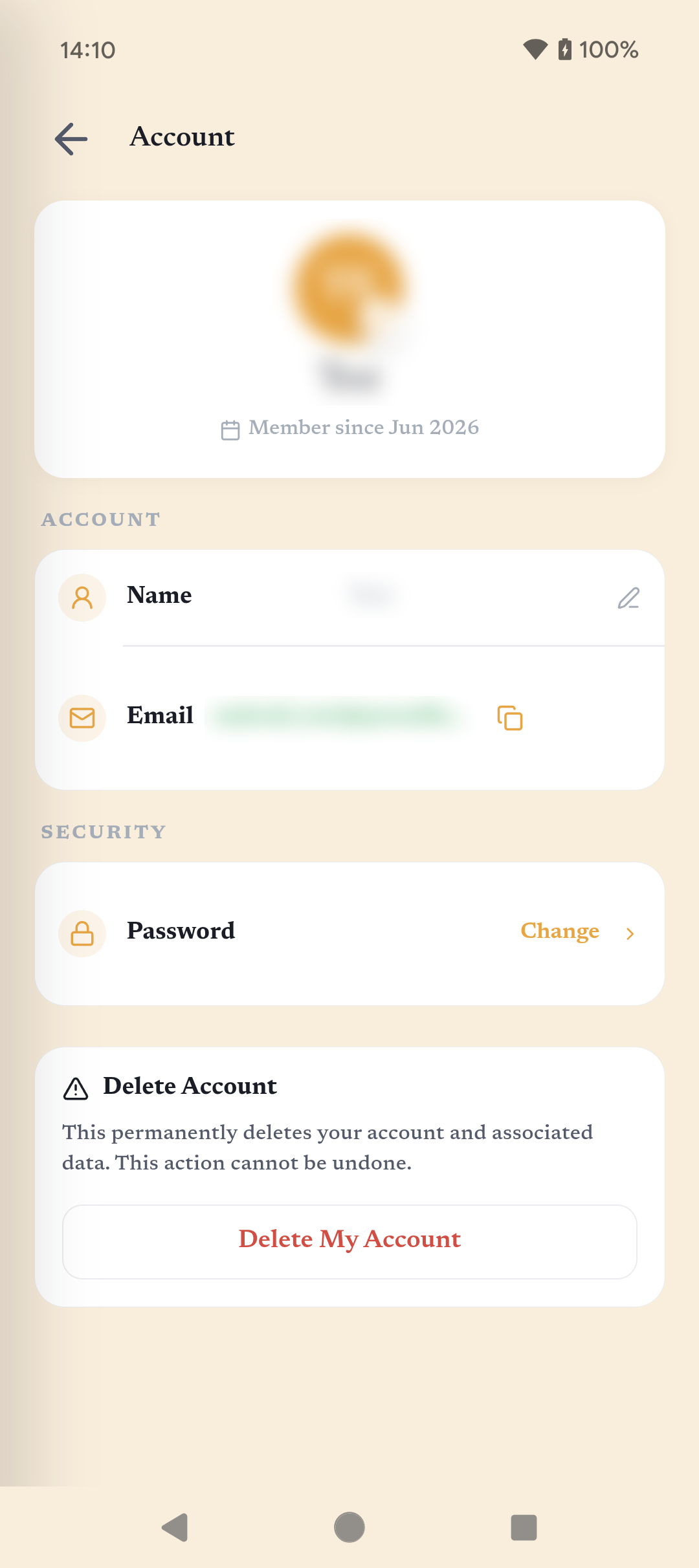
Account
Delete My Account
How to delete your account
- Step 1Open the ParentFlow app and make sure you’re signed in to the account you want to delete.
- Step 2Go to Me, then open Settings.
- Step 3Choose Account.
- Step 4In the Delete Account section, tap Delete My Account.
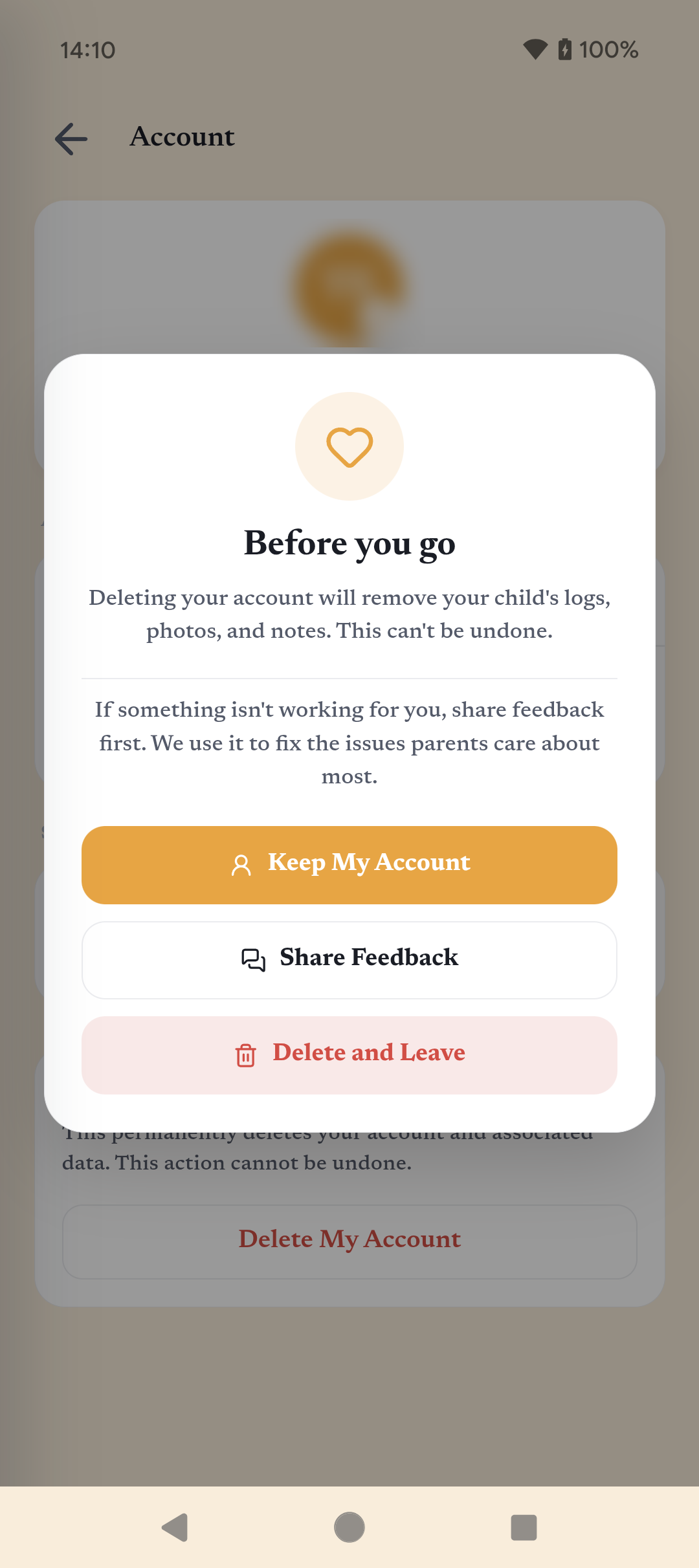
- Step 5Review the confirmation, then tap Delete and Leave.
This can’t be undone. Account deletion is permanent. The app removes your account and the data associated with it, and it cannot be recovered afterward.
What gets deleted
- Your ParentFlow account profile and sign-in
- Child data stored under the account: logs, photos, and notes
- Other app records connected to that account
See it in the app
Need help?
If you can’t access your account or need help deleting it, email support@parentflow.io and we’ll help.